Every school sports day has the same ingredients: a nervous start line, a baton that nearly gets dropped, a tug-of-war that goes on forever, and a crowd of parents shouting from the edge of the field. It’s chaotic and wonderful, and the memory fades faster than anyone expects. Text to video lets you turn that day into a polished, movie-style recap, even if you only have a written description to work from. Dreamina and its Seedance 2.5 model do the filming, and you write the scenes. Even a small school can make it happen with a few paragraphs of description. Here’s how to build a recap your school community will want to watch twice.
Sports day already has a storyline
Think about how the day unfolds. There is that excitement in the morning, the excitement of the races that take place, the part where the team gets into their groove, and the ending with medals and tired faces. That’s a ready-made story arc. All you need to do is pick the moments that carry the most feeling and describe them like a film director would. The result isn’t a record of exactly what happened. It’s a celebration of how the day felt. Picking three or four beats keeps the recap tight.
The beats of the day
Choose four or five moments to build around:
- The warm-up: stretching, nervous laughter, bright team colors
- The relay: a baton pass at full speed
- The tug-of-war: straining ropes and flying grass
- The sack race: wobbling, giggling, a tumble or two
- The finish: medals, high fives, and a tired group cheer
Each beat makes a strong 30-second scene on its own. Pick the ones your students would talk about at dinner.
What Seedance 2.5 does for a busy field
Crowds and fast motion are tricky to generate, and Seedance 2.5 adds some useful help.
Crowds without duplicates
Fixes for twin faces and multi-person mix-ups make busy scenes less likely to show strange repeated figures. That’s a big help for packed sidelines.
Time for a full race
Clips reach 30 seconds, and an ultra-long beta stretches up to 180 seconds, so a relay can play out from start to finish. No awkward cuts mid-sprint.
Cleaner footage for your own playlist
Stray subtitles and random background music are removed from the base clip, which makes it easy to add a school-friendly soundtrack. Pick something upbeat and short.
Prompts in Multiple Languages
If your community speaks multiple languages and you would like to have your prompts written in your language, multilingual support can help.
Do a recap in three steps using Dreamina
Step 1: Create your prompt
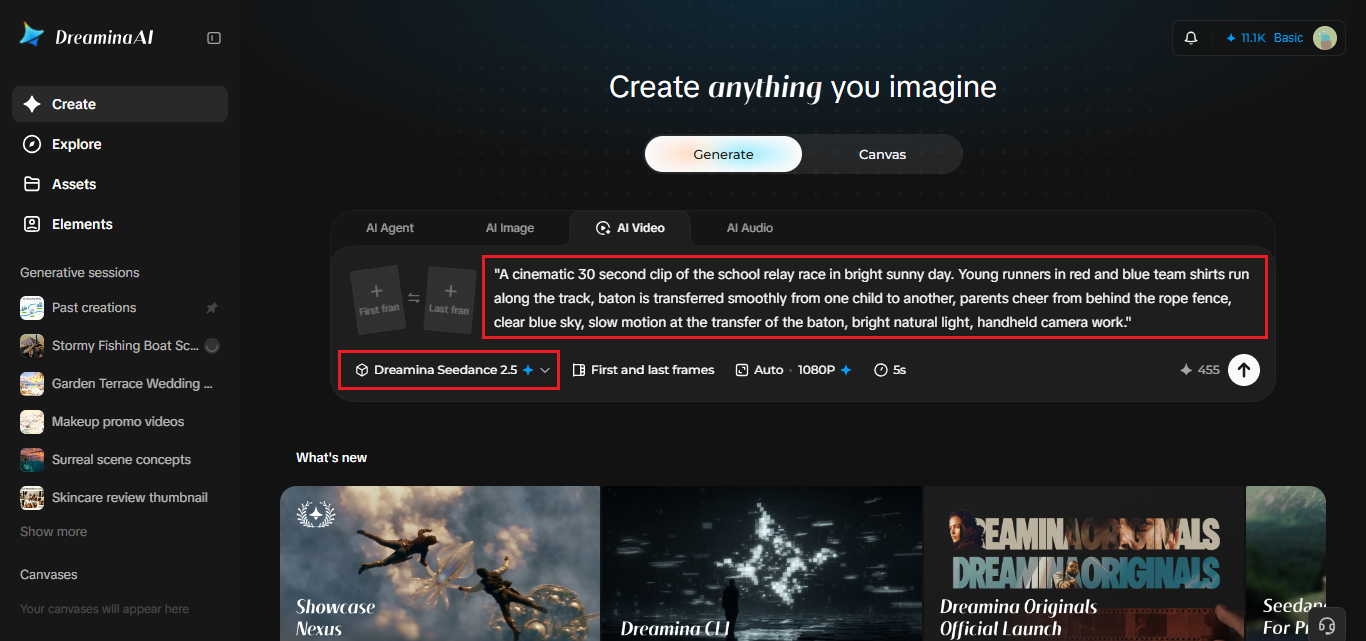
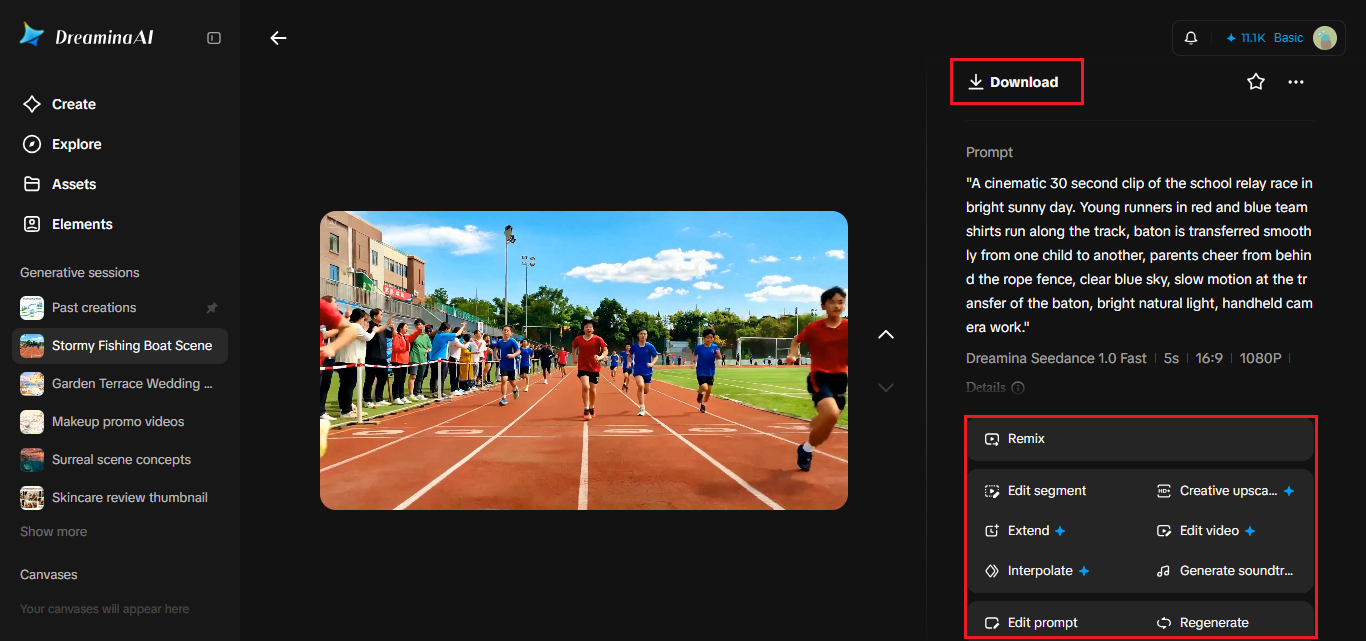
Start up Dreamina, log in and navigate to AI Video tab. Create your prompt about some event that occurred during the day.
Example of a prompt for a 30 second clip: A cinematic 30-second clip of the school relay race on a bright sunny day. Young runners in red and blue team shirts run along the track, baton is transferred smoothly from one child to another, parents cheer from behind the rope fence, clear blue sky, slow motion at the transfer of the baton, bright natural light, handheld camera work.
Step 2: Generate your video
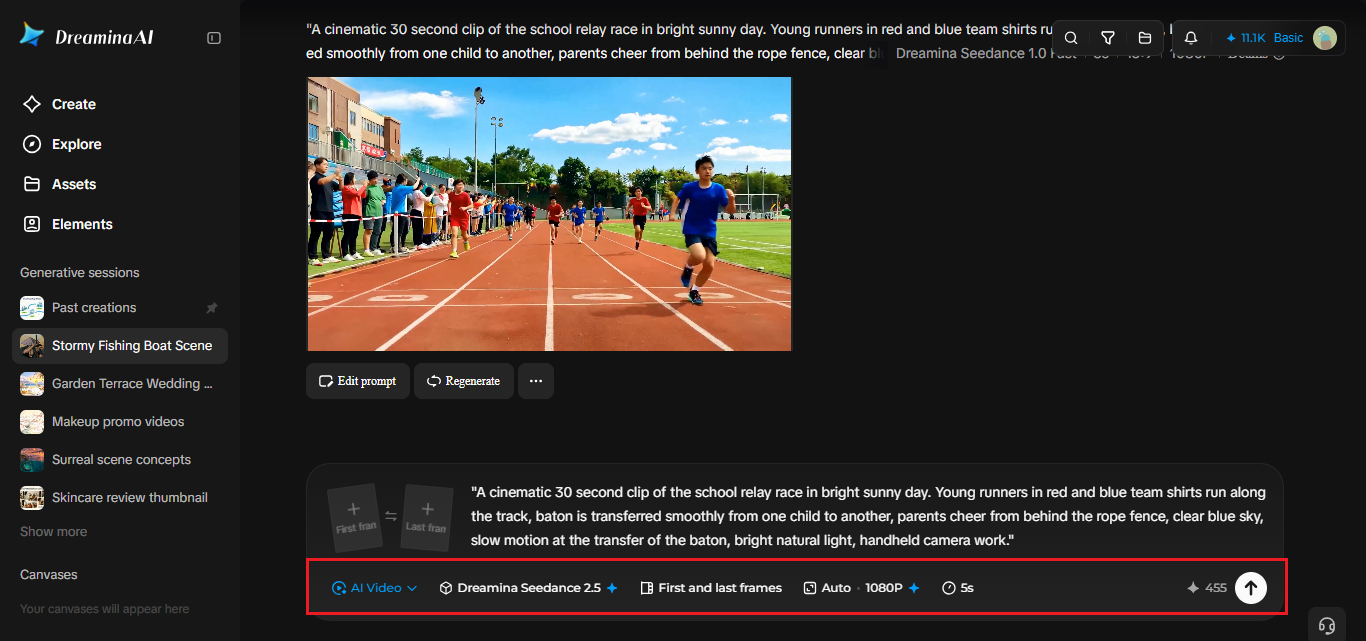
Select Seedance 2.5 model, set up the length of the clip and select 16:9 for YouTube or 9:16 for Tiktok. Click Dreamina’s icon and wait for the render. Repeat for each moment you chose. Vertical clips are handy for a school social page.
Step 3: Enhance and export
Use Dreamina’s AI editing tools to polish each clip. Upscale sharpens the picture, and Generate soundtrack adds an upbeat track. Export your clips and share them, or stitch them into one recap. If one clip feels off, tweak the prompt and run it again.
Writing the race like a commentator
Great sports footage has rhythm. Describe the speed, the sound, and the emotion, not just the action. “Sprinting” is fine, but “sprinting with arms pumping, grass flying, the crowd roaring” gives the model more to work with. Include one camera instruction per scene, such as a low tracking shot or a slow-motion moment at the finish line. Then end each clip on a small human detail, like a high five or a grin, to keep the recap warm. Don’t forget the weather. Sun, a light breeze, or damp grass all change the mood. A good trick is to describe what a spectator would hear, see, and feel.
Keeping children’s privacy in mind
A school recap involves young people, so a little care goes a long way. Because Dreamina generates scenes rather than filming real kids, the footage shows invented runners. Still, label the video as an illustrative recap, and check your school’s media policy before sharing. If you later add real photos, get parental permission. A warm recap should never put a real child’s image in a place families didn’t agree to.
Sharing it with the school community
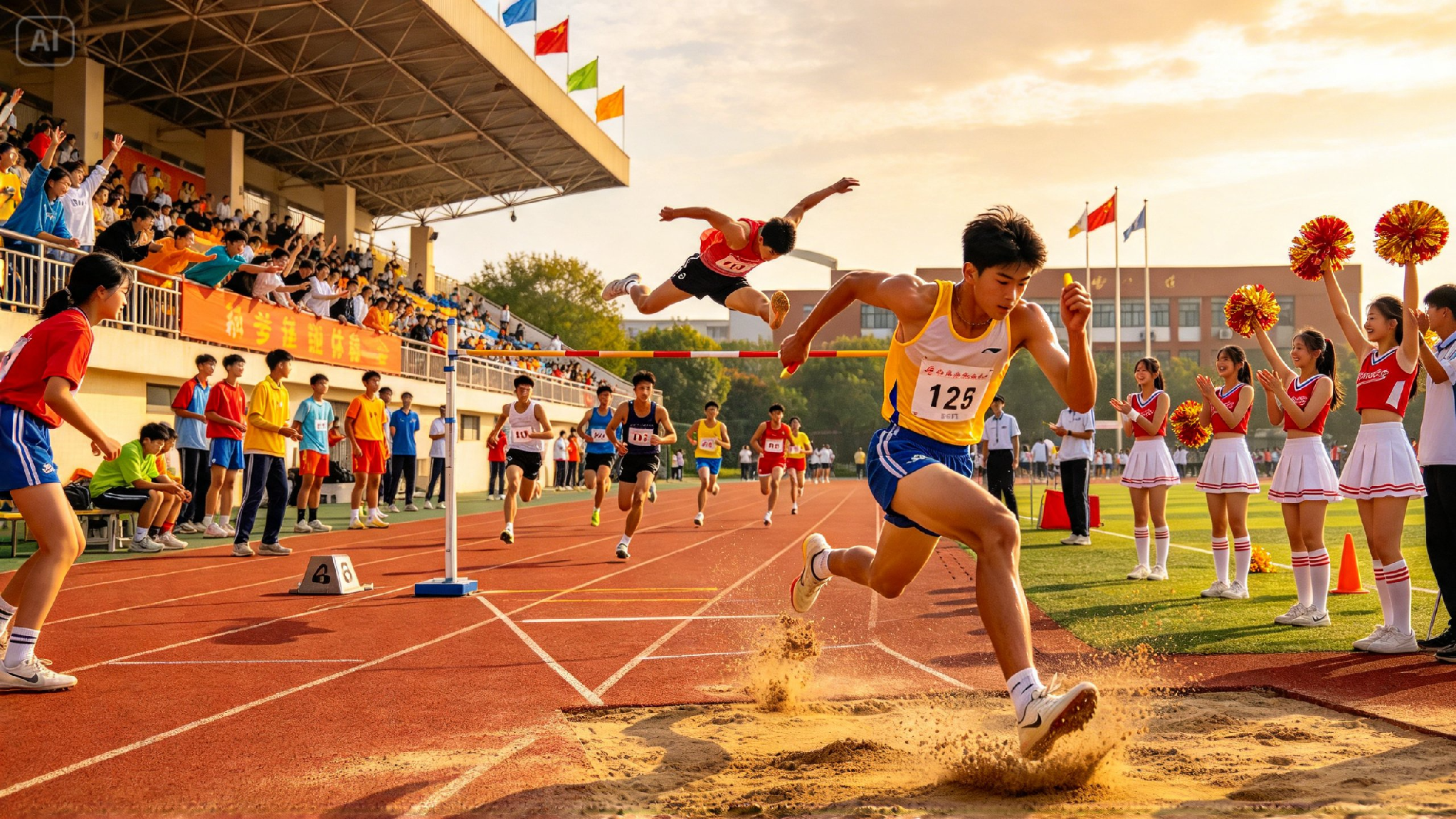
A good recap can open the next assembly, appear in the newsletter, or help promote next year’s event. Keep it under two minutes, add a short caption with the date and house colors, and thank the volunteers. Vertical versions suit the school’s social page, while 16:9 works on the website and the hall screen. Ask teachers to add a line or two of narration for a personal touch. A short thank-you at the end goes a long way.
Cheer for the finish line
A school sports day is a lot of effort for a few hours of joy, and it deserves a recap with some drama. Dreamina and Seedance 2.5 help you turn written moments into a short film that feels like a highlight reel. Pick your favorite beat, write a scene, and see how it looks. The crowd’s cheer is only a prompt away. Share it with the teachers first and let them enjoy the moment.